
The Açores are about 1,500 km west of the mainland, and Madeira about 1,000 km to the south-west. Drawn in their true positions, most of a map of Portugal would be empty ocean. So geopt composes the map: it moves the islands next to the mainland, as insets, and draws frames around them to show they’ve been moved. This guide shows how to control that composition, and how to draw the result with different plotting libraries.
Default map
get_map() returns the composed map. Called with no
arguments, it returns municipalities, with the islands moved next to the
mainland and framed:
m <- get_map()The result is a standard sf object in WGS84 (EPSG:4326).
The frames are extra rows in it: the geopt_type column is
"boundary" for the regions and "frame" for the
frames. On the frames, geopt_label holds the frame’s name
and geopt_frame_level says what it surrounds: 1 for a whole
archipelago, 2 for a group of islands, and 3 for a single island.
boundaries <- m[m$geopt_type == "boundary", ]
frames <- m[m$geopt_type == "frame", ]

ggplot() +
  geom_sf(data = boundaries, aes(fill = nuts2)) +
  geom_sf(data = frames, aes(linewidth = factor(geopt_frame_level)), fill = NA) +
  scale_linewidth_manual(values = c(0.8, 0.4, 0.2)) +
  guides(linewidth = "none") +
  theme_void()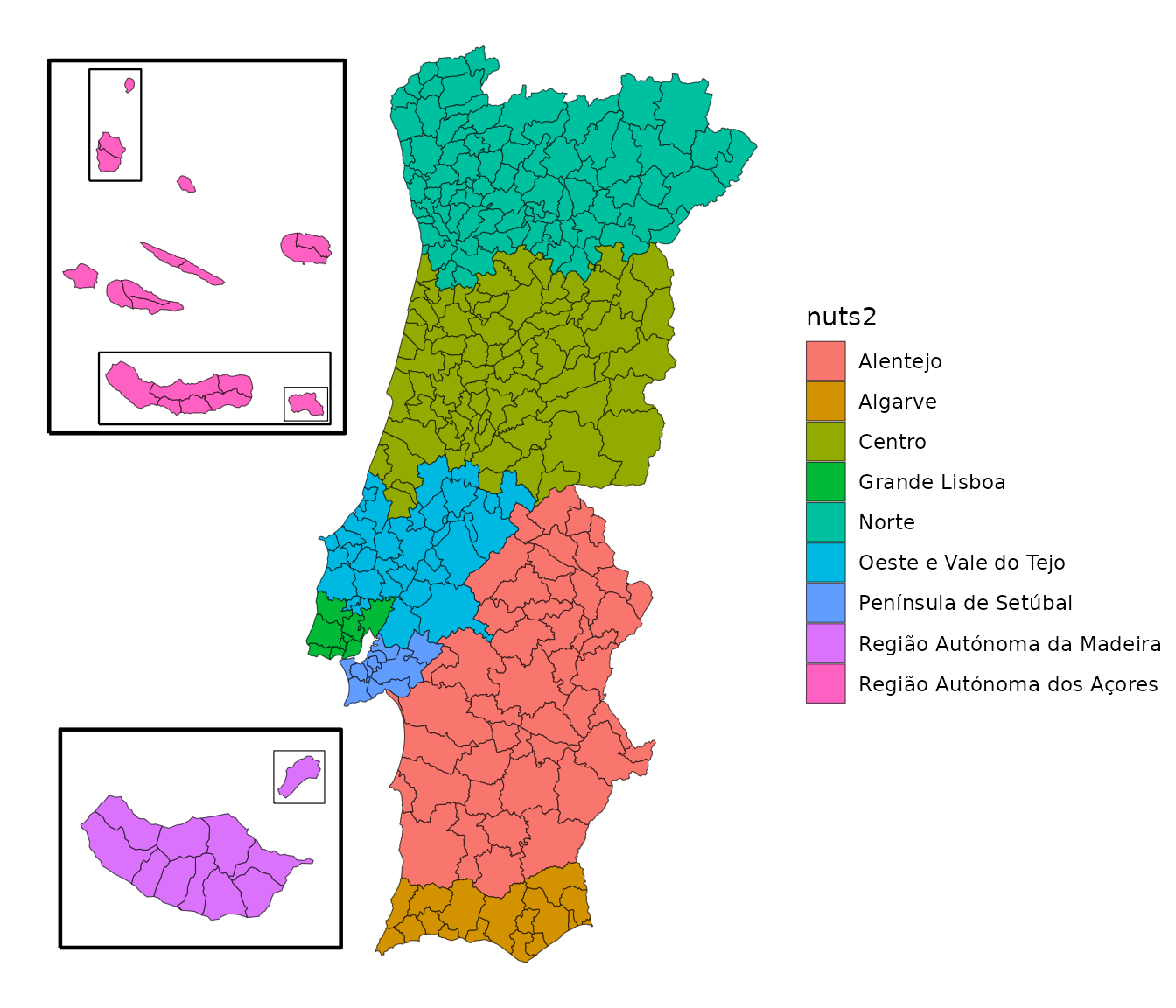
Administrative levels
The level argument sets which units to draw:
"freguesia", "municipio" (the default),
"distrito", "nuts1", "nuts2" or
"nuts3", or one of the health geographies,
"uls", "reg_saude", "aces",
"uls_municipio" and "aces_municipio" (see
vignette("health-geographies")). Every level is built by
merging the same simplified freguesias, so borders line up exactly when
two levels are drawn on top of each other.
m_nuts2 <- get_map("nuts2")
boundaries <- m_nuts2[m_nuts2$geopt_type == "boundary", ]
frames <- m_nuts2[m_nuts2$geopt_type == "frame", ]

ggplot() +
  geom_sf(data = boundaries, aes(fill = nuts2)) +
  geom_sf(data = frames, aes(linewidth = factor(geopt_frame_level)), fill = NA) +
  scale_linewidth_manual(values = c(0.8, 0.4, 0.2)) +
  guides(linewidth = "none") +
  theme_void()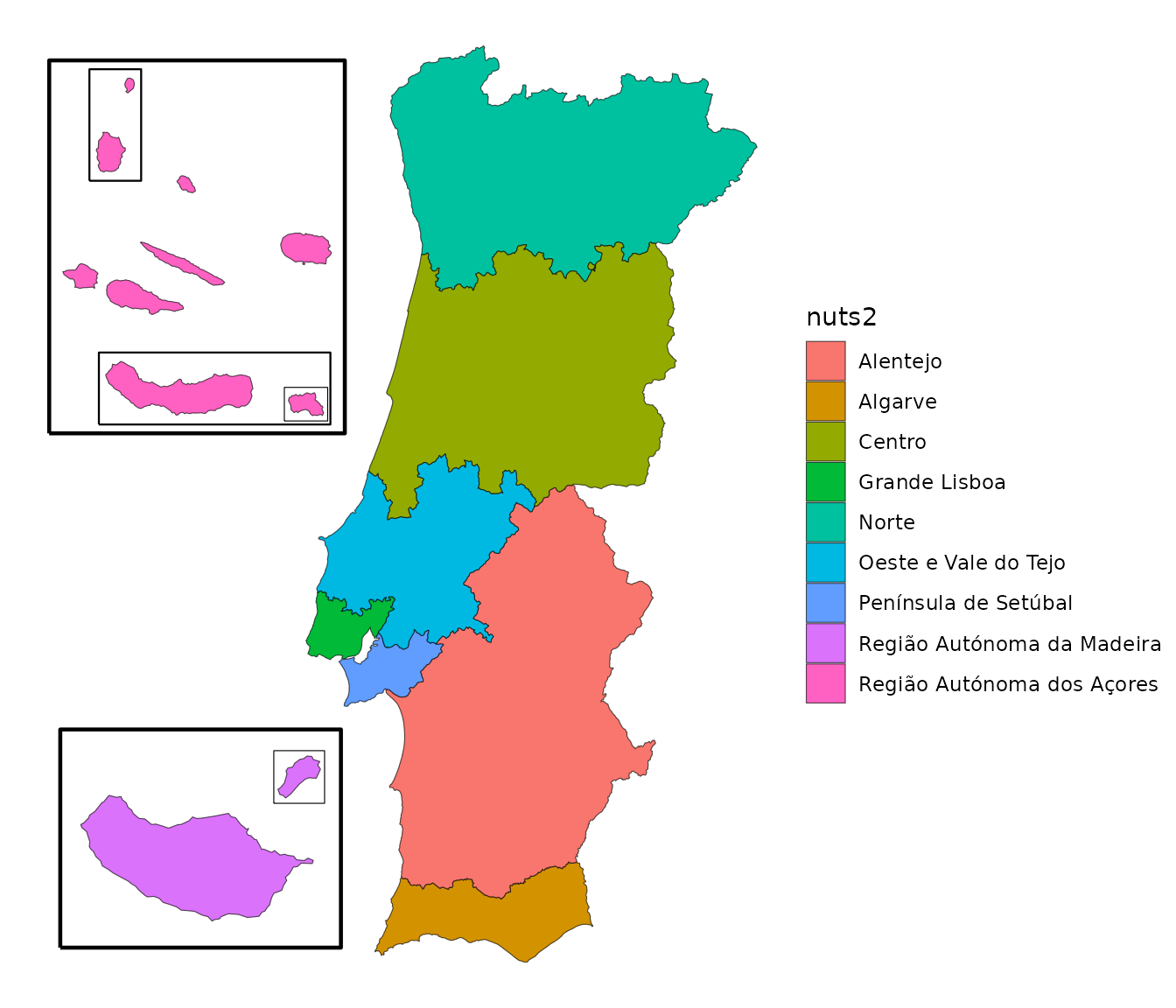
How the islands are shown
The islands argument sets how the Açores and Madeira
appear. It takes one of these values:
| Value | Açores | Madeira |
|---|---|---|
"compact" (default) |
four insets: the western group, the central group, São Miguel, and Santa Maria | Porto Santo in its own small inset, moved next to Madeira |
"groups" |
the three official groups: Ocidental, Central and Oriental | the same as "compact"
|
"box" |
a labelled rectangle | a labelled rectangle |
"in_place" |
where they really are | where they really are |
"none" |
left out | left out |
For anything else, such as a different setting for each archipelago,
or no frames, pass a layout made with island_layout(). A
string is a shortcut: islands = "none" is the same as
islands = island_layout("none").
Leaving the islands out
To show only the mainland:
m <- get_map("nuts3", islands = "none")
ggplot(m) +
  geom_sf(aes(fill = nuts3)) +
  guides(fill = "none") +
  theme_void()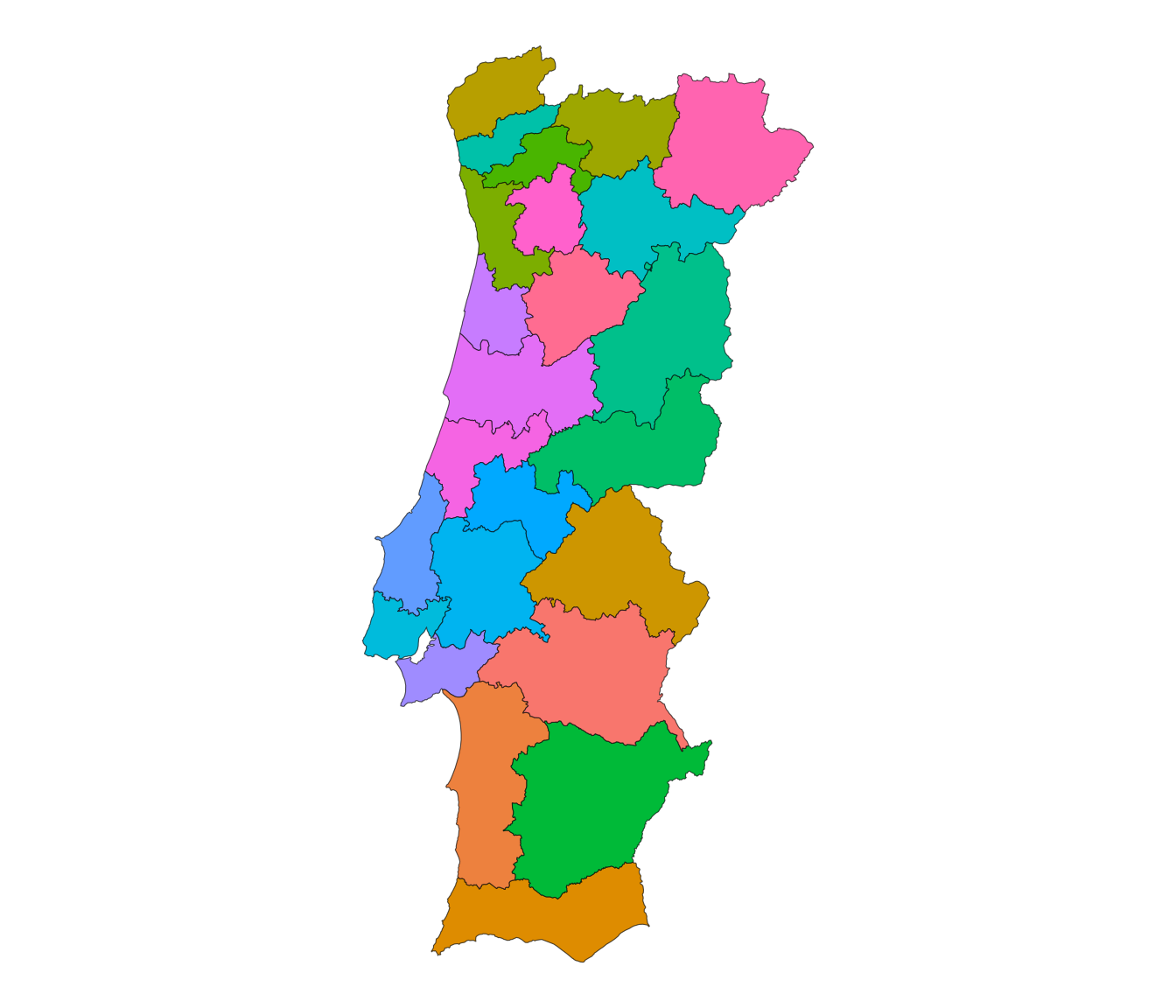
To leave out one archipelago, set it to "none" in
island_layout(), using raa for the Açores and
ram for Madeira:
m <- get_map("nuts2", islands = island_layout(raa = "none"))
ggplot(m[m$geopt_type == "boundary", ]) +
  geom_sf(aes(fill = nuts2)) +
  theme_void()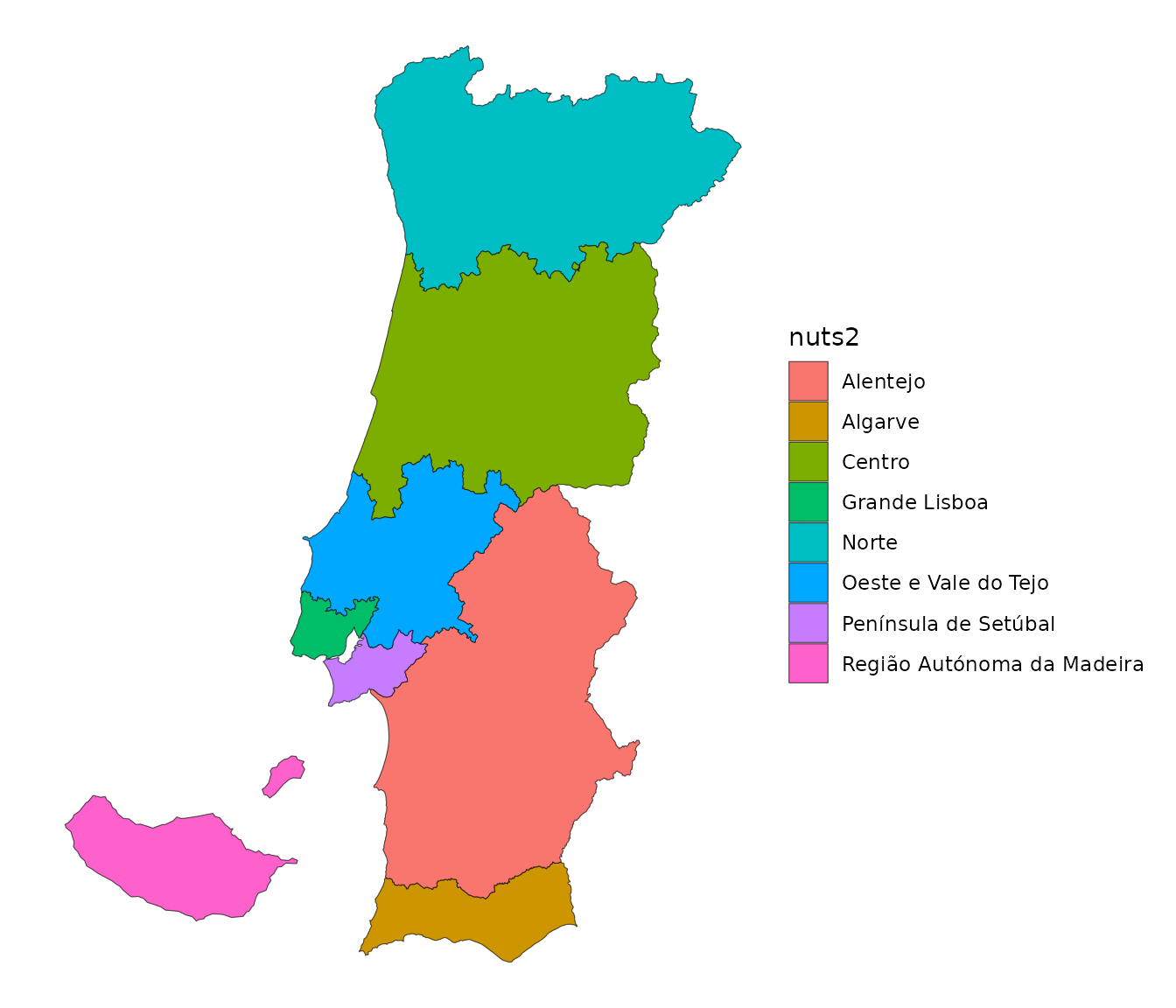
When data is joined with data and by, rows
for a left-out archipelago are dropped quietly: they matched, they just
aren’t on the map.
Island groups
"compact" arranges the islands to take the least room,
so Santa Maria gets an inset of its own. "groups" draws the
Açores in their three official groups instead, and
ram = "whole" puts Madeira and Porto Santo in a single
inset, at their true distance apart:
m <- get_map("nuts3", islands = island_layout(raa = "groups", ram = "whole"))
boundaries <- m[m$geopt_type == "boundary", ]
frames <- m[m$geopt_type == "frame", ]

ggplot() +
  geom_sf(data = boundaries, aes(fill = nuts2)) +
  geom_sf(data = frames, fill = NA, linewidth = 0.5) +
  guides(fill = "none") +
  theme_void()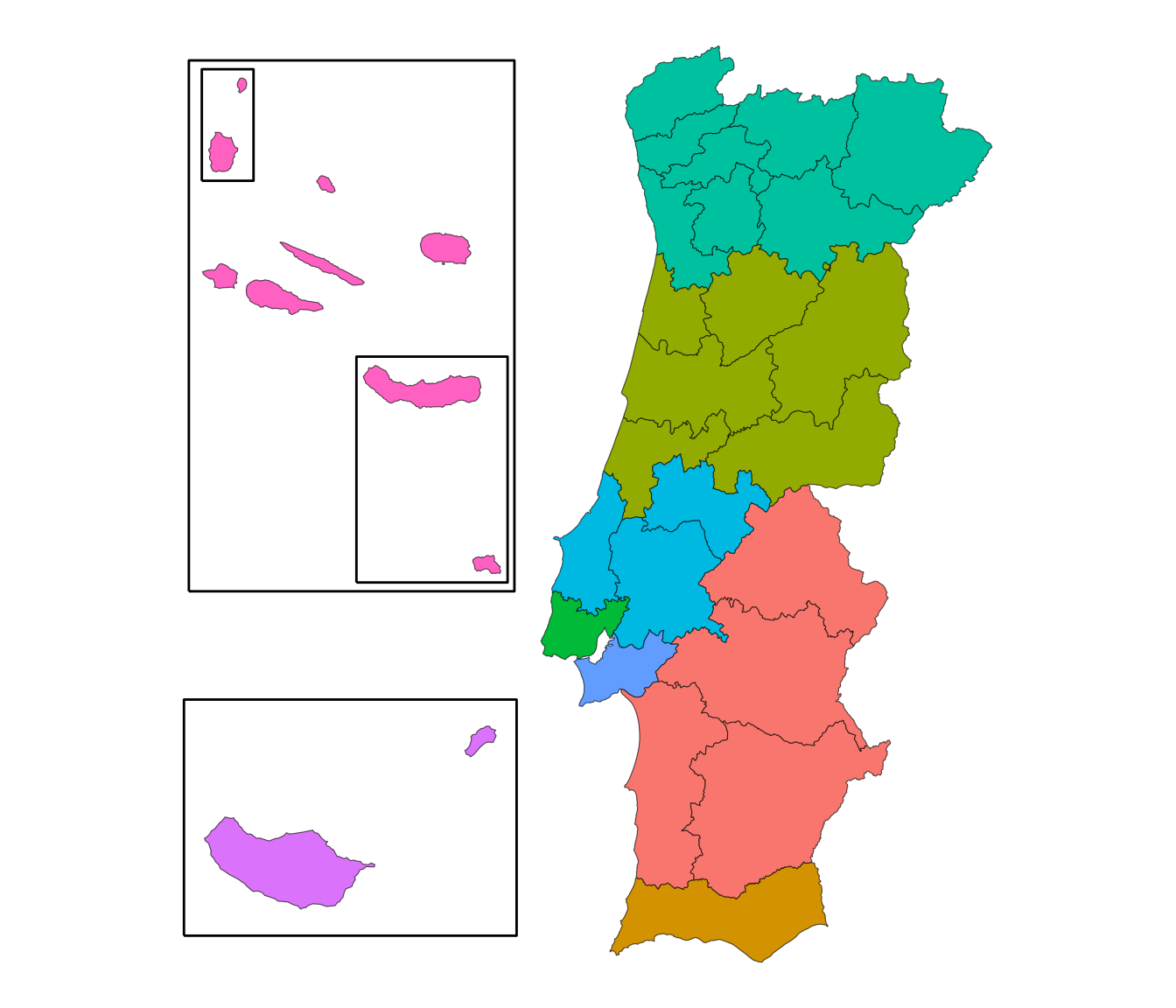
There is no "whole" for the Açores. The archipelago is
wider than all of mainland Portugal, so in a single inset that fits next
to the mainland its smaller islands would be too small to read. To show
all of the Açores as they really are, map them on their own (see Maps of one region).
Frames around the islands
The frames are added by default. Map geopt_frame_level
to line width so the frame around a whole archipelago is thicker than
the frames around single islands, as in the maps above. To leave the
frames out, use frames = FALSE:
m <- get_map("freguesia", islands = island_layout(frames = FALSE))
ggplot(m) +
  geom_sf(aes(fill = nuts2), linewidth = 0.05) +
  theme_void()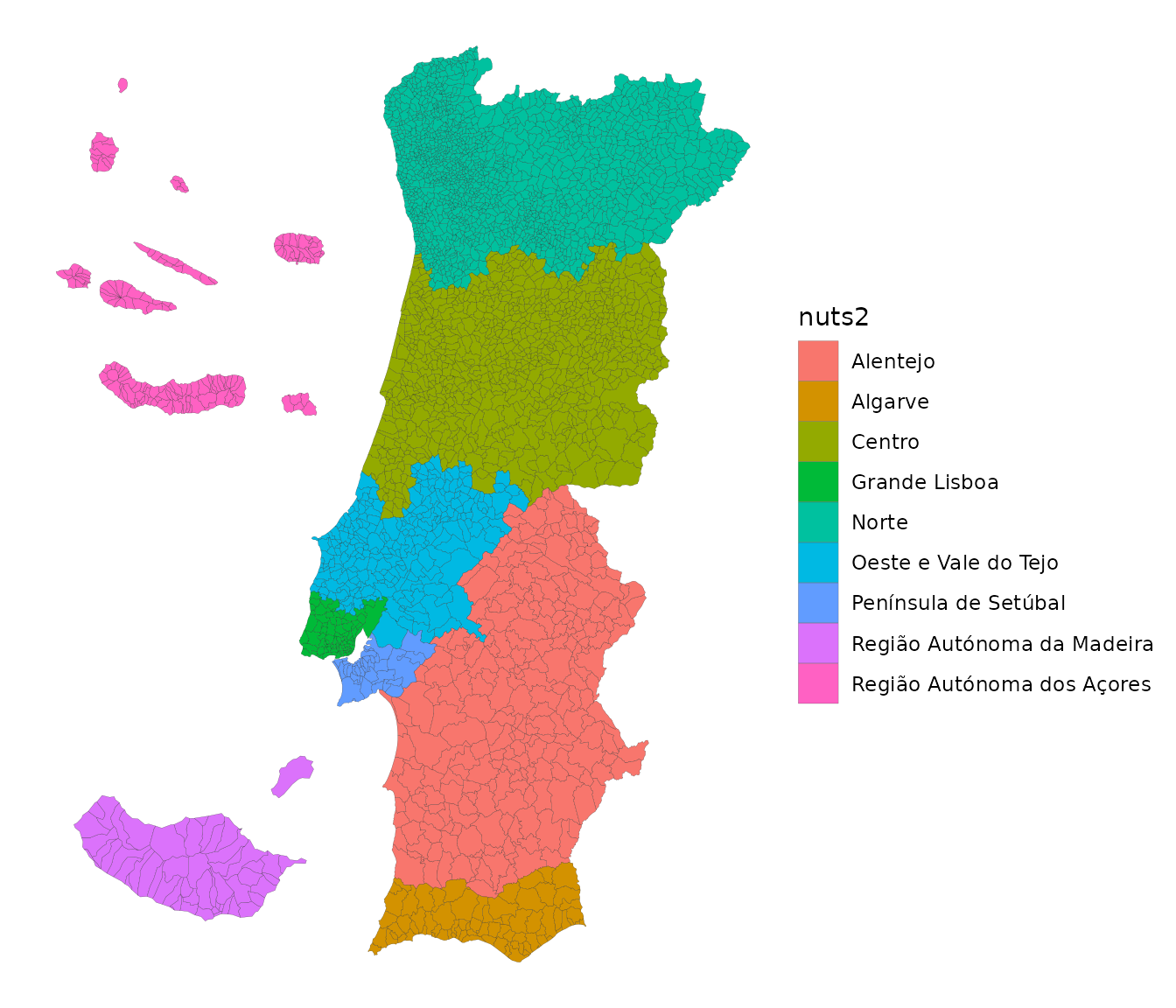
Islands as rectangles
"box" replaces each archipelago with a labelled
rectangle, which keeps the map compact when only one value per
archipelago is needed. It only works at levels where each archipelago is
a single region: "nuts1", "nuts2",
"nuts3" and "reg_saude". At finer levels each
archipelago has several regions, and "box" stops with an
error rather than draw a stack of rectangles that no longer reads as a
map.
m <- get_map("nuts3", islands = "box")

ggplot() +
  geom_sf(data = m, aes(fill = area_ha), color = "white") +
  geom_sf_text(
    data = m[!is.na(m$geopt_label), ],
    aes(label = geopt_label),
    nudge_x = 0.3,
    hjust = 0,
    size = 4
  ) +
  theme_void()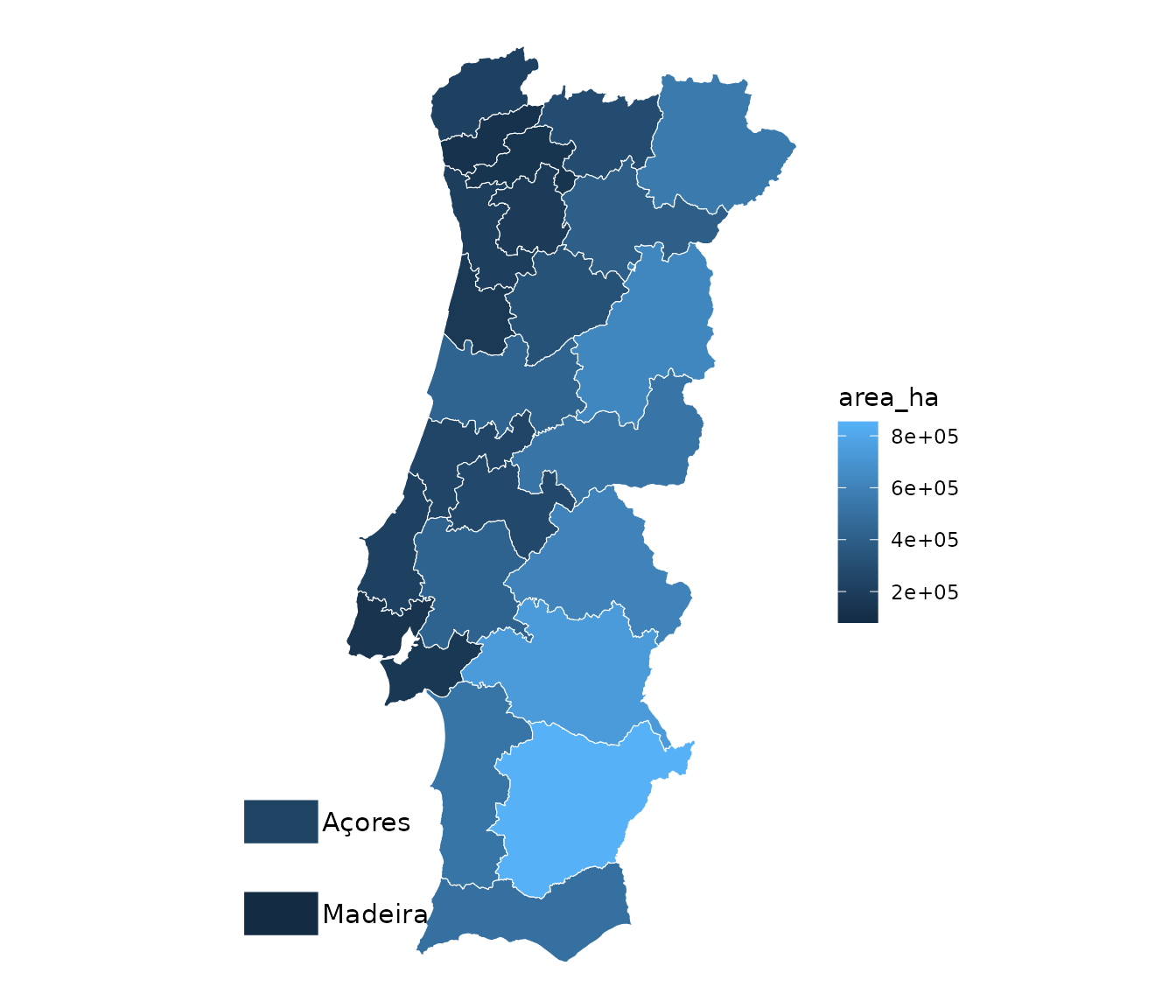
By default the rectangles go at the bottom left of the mainland. Use
box_position = "top_left", or give the longitude and
latitude of the bottom-left corner of the stack as
c(x, y):
m <- get_map("nuts3", islands = island_layout("box", box_position = c(-11.5, 38.5)))

ggplot() +
  geom_sf(data = m, aes(fill = area_ha), color = "white") +
  geom_sf_text(
    data = m[!is.na(m$geopt_label), ],
    aes(label = geopt_label),
    nudge_x = 0.3,
    hjust = 0,
    size = 4
  ) +
  theme_void()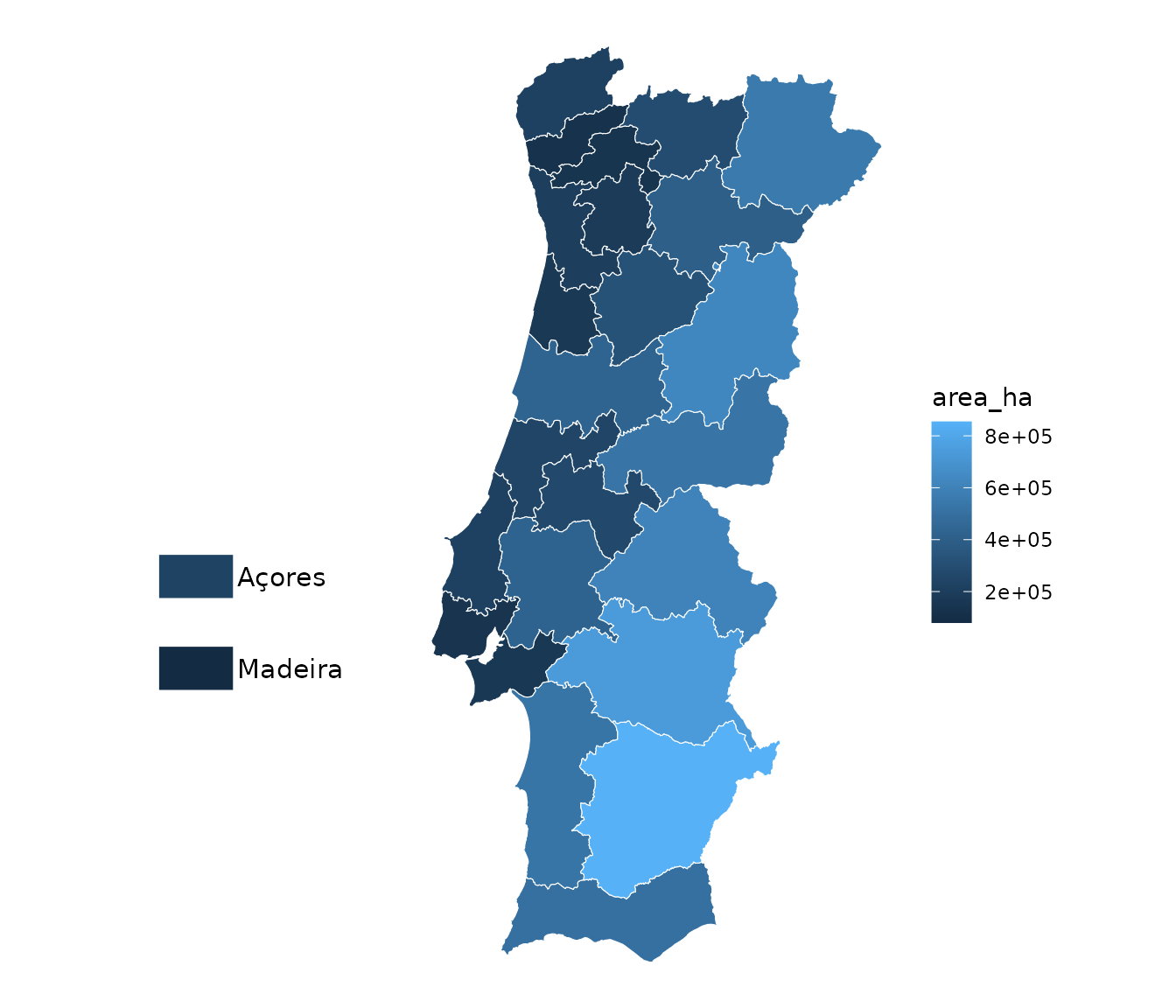
Moving and resizing the islands
island_layout() returns a list that can be changed
before passing it on. Each archipelago drawn as insets has an
anchor, the longitude and latitude its insets are placed
around, a label for its frame, and groups, one
entry per inset, each with its own offset from the anchor
and scale. Printing a layout shows what it does:
lay <- island_layout()
lay
#> <island layout>
#>   raa (Açores):  compact   4 insets: ocidental, central, s_miguel, s_maria
#>   ram (Madeira):  compact   2 insets: madeira, porto_santo
#>   frames:         yes
For example, to move the Açores half a degree further west, draw Madeira a little smaller, and label the Açores in English:
lay$raa$anchor <- lay$raa$anchor + c(-0.5, 0)
lay$ram$groups$madeira$scale <- 2.5
lay$raa$label <- "Azores"

m <- get_map("nuts3", islands = lay)
frames <- m[m$geopt_type == "frame", ]

ggplot() +
  geom_sf(data = m[m$geopt_type == "boundary", ], aes(fill = nuts2)) +
  geom_sf(data = frames, fill = NA, linewidth = 0.4) +
  guides(fill = "none") +
  theme_void()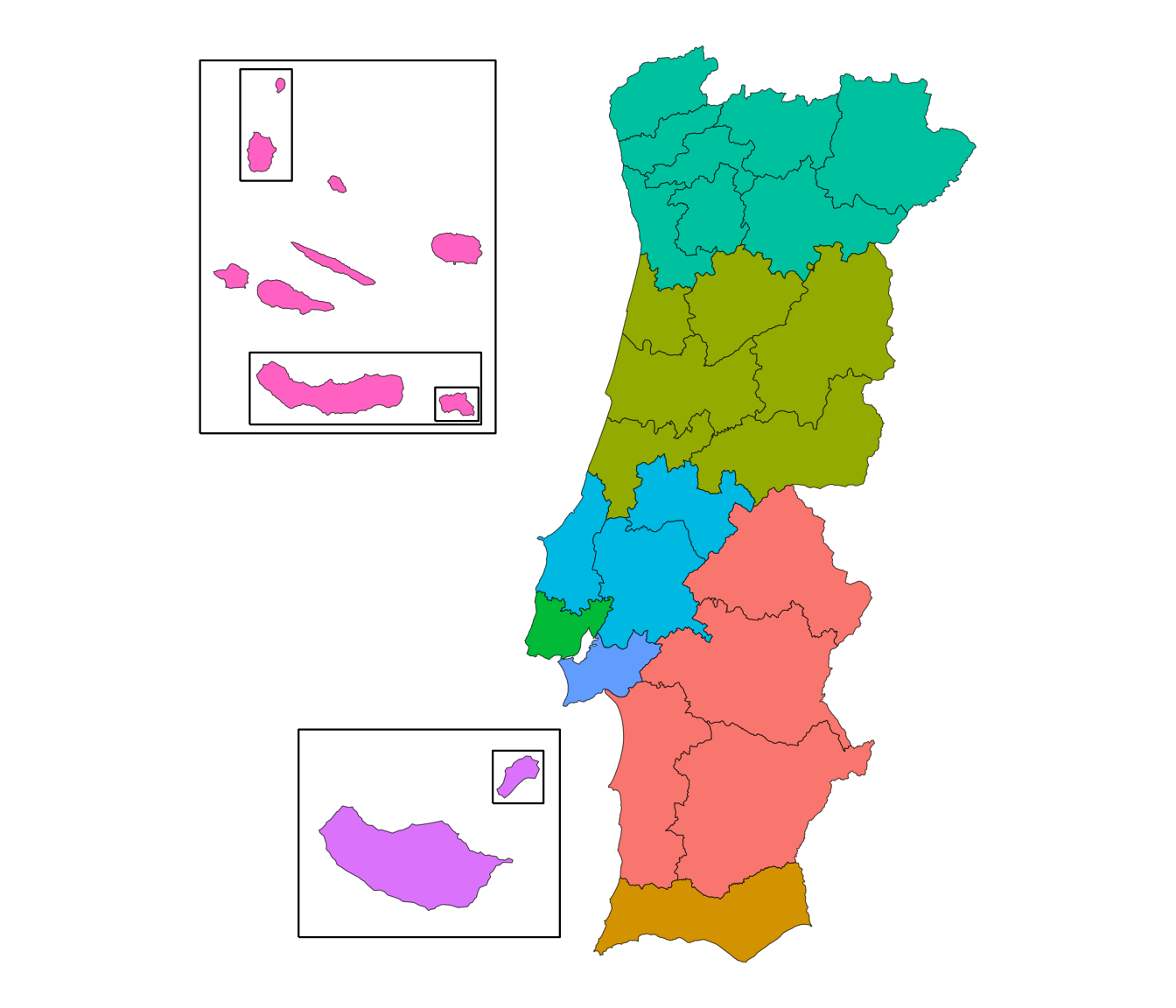
frames$geopt_label
#> [1] "Azores"          "Grupo Oriental"  "Grupo Ocidental" "Santa Maria"
#> [5] "Madeira"         "Porto Santo"
Print lay$raa to see every setting, and
?island_layout for what each one does. If a change breaks
the layout, get_map() says which setting is wrong.
Maps of one region
Every row of get_map() keeps its codes and names, so a
map of one region is the whole map, filtered. For an area of the
mainland, filter the map as it is:
m <- get_map("municipio")
norte <- m[m$nuts2_cod %in% "PT11", ]

ggplot(norte) +
  geom_sf(aes(fill = area_ha)) +
  theme_void()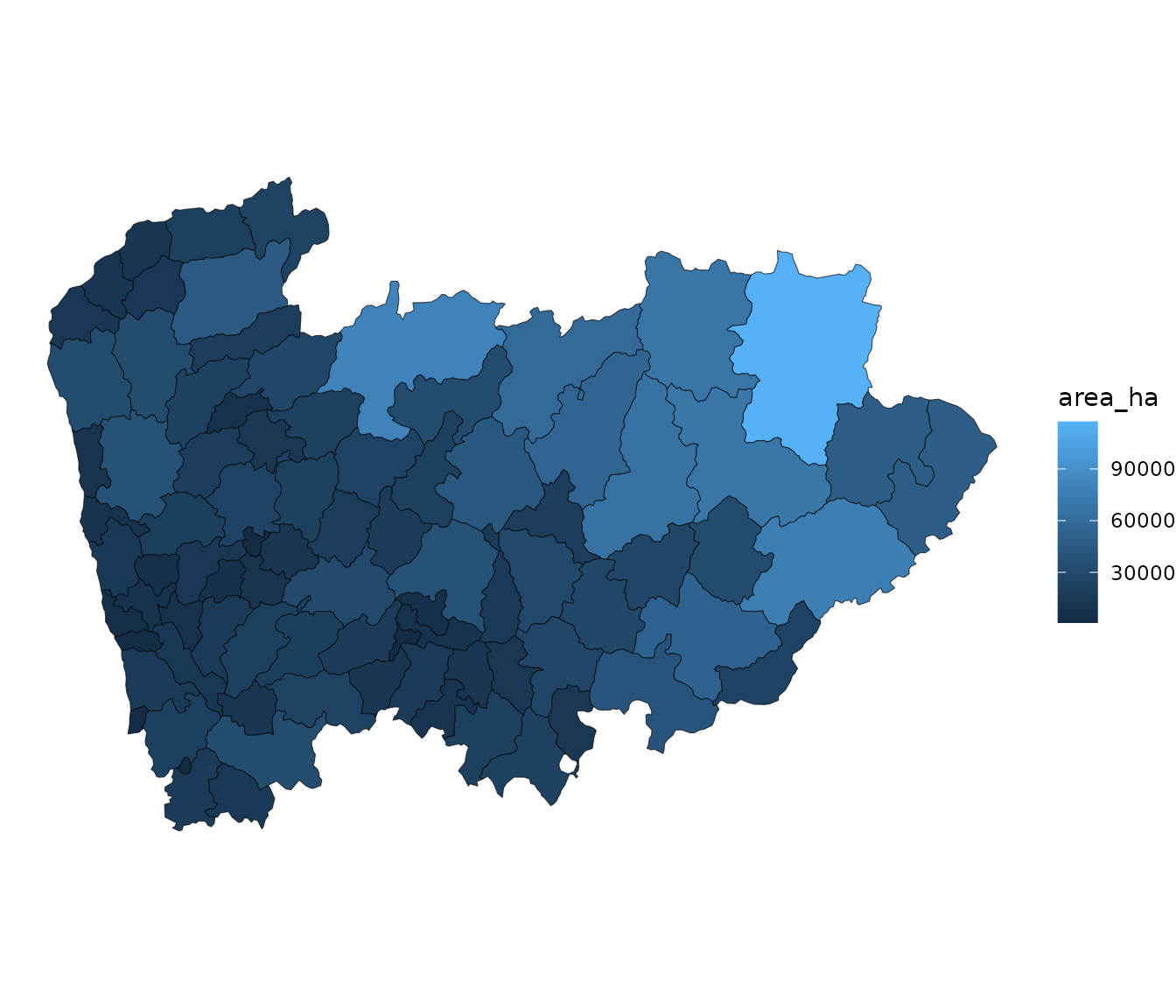
Using %in% rather than == matters here: the
frames have no region codes, and %in% drops them where
== would add empty rows.
For an archipelago, use islands = "in_place" first.
Otherwise the islands have already been moved and enlarged into their
insets by the time the map is filtered. With "in_place"
they keep their true position, and no frames are drawn:
m <- get_map("municipio", islands = "in_place")
acores <- m[m$nuts2_cod %in% "PT20", ]

ggplot(acores) +
  geom_sf(aes(fill = municipio)) +
  guides(fill = "none") +
  theme_void()
The filtered map is still a get_map() map, so
plot_pt() draws it too, and data joined with
data and by comes along. Health maps have no
NUTS 2 or NUTS 3 codes, because their units don’t nest in those regions;
filter them by nuts1_cod ("PT2" for the
Açores, "PT3" for Madeira).
Quick plots
plot_pt() draws a map in one line. It builds the map (or
takes one built with get_map()), colours it by a column,
and draws the frames and island labels. It returns an ordinary object of
the plotting library it used: a ggplot to extend with +, or
an echarts4r widget to pipe into e_*() functions. It takes
the same islands argument as get_map().
df <- data.frame(
  concelho = c("Porto", "Lisboa", "Braga", "Faro", "Lagoa (Açores)"),
  score = c(10, 25, 15, 8, 12)
)

plot_pt(df, value = "score", by = c(municipio = "concelho"))
#> get_map: 303 boundaries have no data row (NA fill).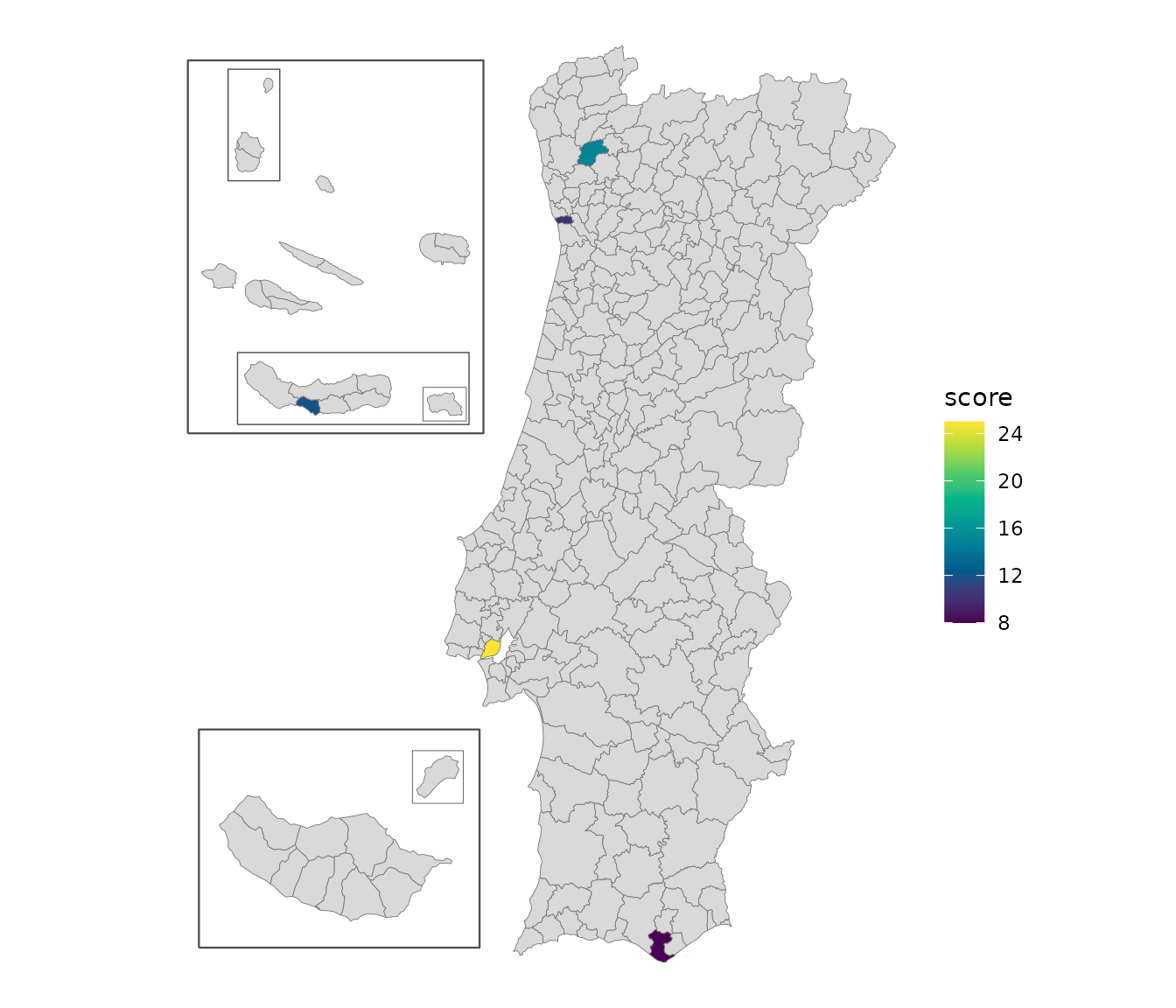
Build the map once and draw it with different plotting libraries, for example when the same map goes into a report (ggplot) and a dashboard (echarts):
m <- get_map("nuts3", islands = "box")

plot_pt(m, value = "area_ha")                        # ggplot
plot_pt(m, value = "area_ha", renderer = "echarts")  # interactive widget
The echarts version links values to regions by official code, not by name, so a value can’t end up on the wrong one of two places with the same name. Tooltips still show the names.
plot_pt() only sets the colours (palette,
na_color) and the legend. Everything else is
styled the usual way for each library:
Mapping libraries
The sf objects returned by get_map() work with any
spatial plotting library; plot_pt() is a shortcut, not a
requirement. Below are examples with the libraries geopt has been tested
with.
ggplot2
ggplot2 with geom_sf() is the most straightforward
option for static maps:
m <- get_map("municipio")
boundaries <- m[m$geopt_type == "boundary", ]
frames <- m[m$geopt_type == "frame", ]

ggplot() +
  geom_sf(data = boundaries, aes(fill = nuts2)) +
  geom_sf(data = frames, aes(linewidth = factor(geopt_frame_level)), fill = NA) +
  scale_linewidth_manual(values = c(0.8, 0.4, 0.2)) +
  guides(linewidth = "none") +
  theme_void()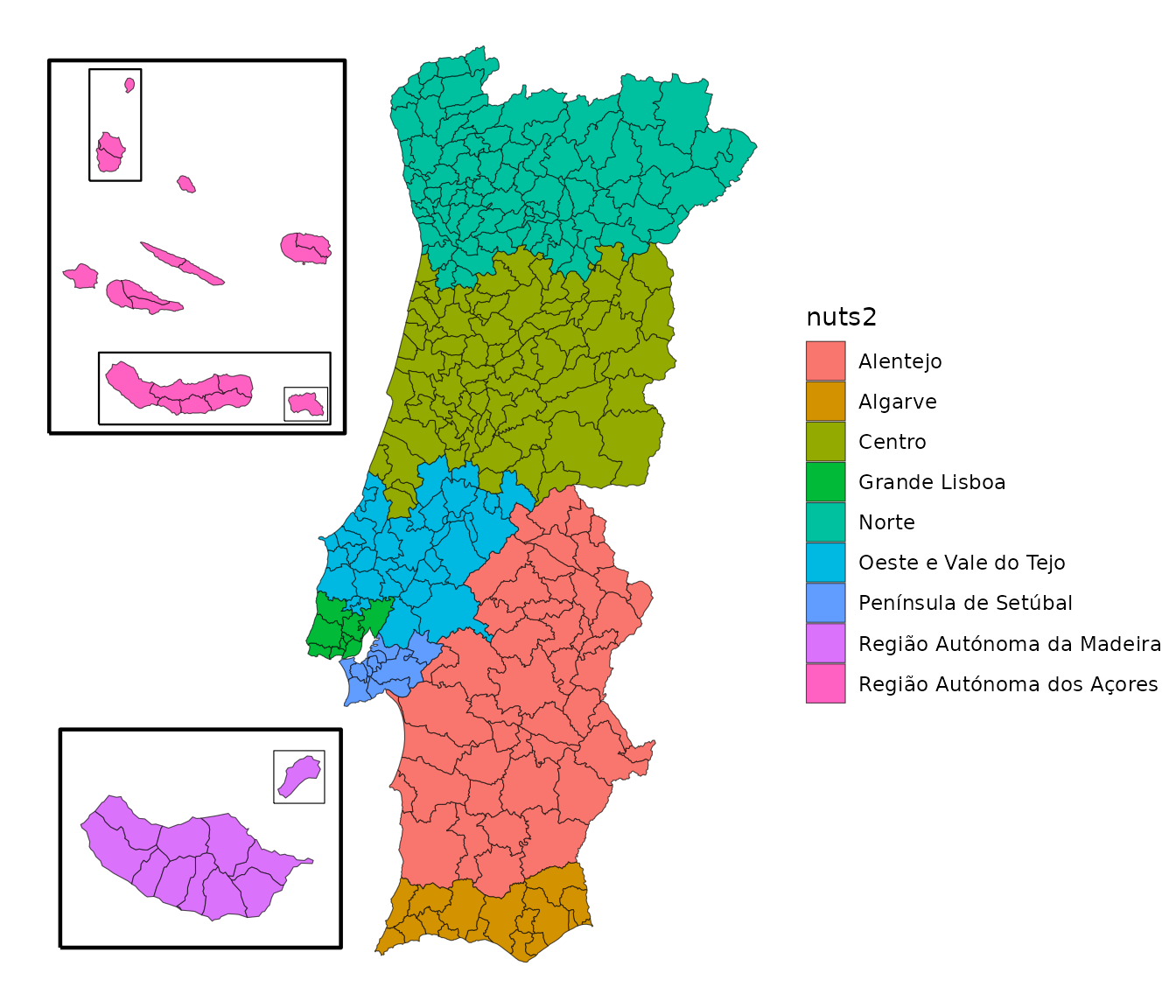
tmap
tmap supports both static ("plot") and interactive
("view") modes. The same code produces a static plot or a
leaflet widget depending on the active mode:
library(tmap)

m <- get_map("nuts2")
boundaries <- m[m$geopt_type == "boundary", ]
frames <- m[m$geopt_type == "frame", ]

# Static mode
tmap_mode("plot")
#> ℹ tmap modes "plot" - "view"
#> ℹ toggle with `tmap::ttm()`

tm_shape(boundaries) +
  tm_polygons(fill = "nuts2") +
  tm_shape(frames) +
  tm_lines(
    lwd = "geopt_frame_level",
    lwd.scale = tm_scale_ordinal(values = c(0.8, 0.4, 0.2)),
    lwd.legend = tm_legend_hide()
  )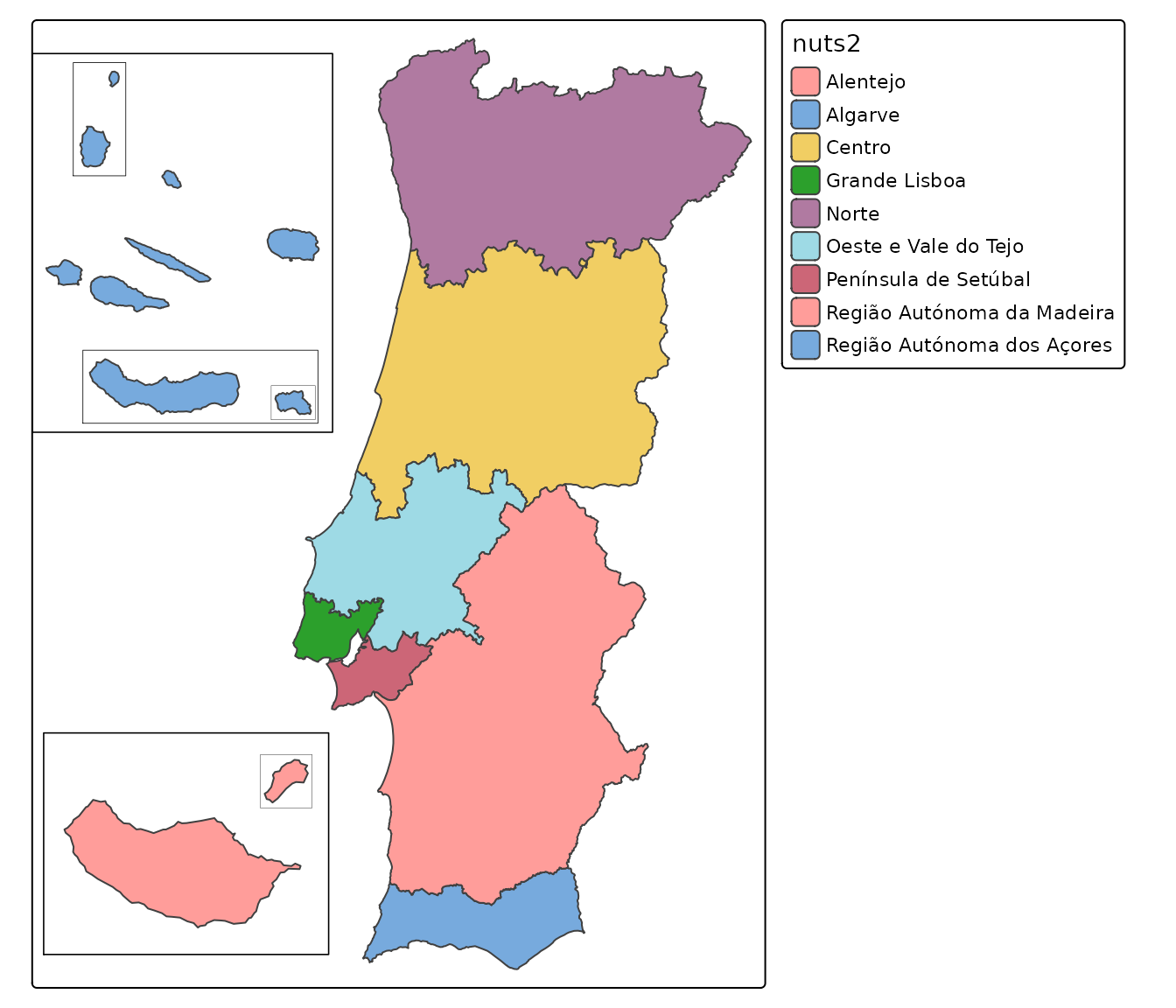
Switch to interactive mode with tmap_mode("view") to get
a zoomable leaflet map with the same code.
echarts4r
echarts4r creates interactive maps. geopt has two helper functions
for it: frame_data_echarts() styles the frames, and
box_labels_echarts() labels the rectangles when
islands = "box".
With islands as insets:
library(echarts4r)

m <- get_map("municipio", islands = island_layout(raa = "groups", ram = "whole"))
m$name <- ifelse(is.na(m$municipio), m$geopt_label, m$municipio)
geojson <- geojsonsf::sf_geojson(m)

m |>
  e_charts(name) |>
  e_map_register("pt", geojson) |>
  e_map(area_ha, map = "pt", roam = TRUE, data = frame_data_echarts(m, "area_ha")) |>
  e_visual_map(area_ha) |>
  e_tooltip()
With islands = "box":
box_labels_echarts() adds a label next to each
rectangle:
m <- get_map("nuts3", islands = "box")
m$name <- ifelse(is.na(m$geopt_label), m$nuts3, m$geopt_label)
geojson <- geojsonsf::sf_geojson(m)

m |>
  e_charts(name) |>
  e_map_register("pt", geojson) |>
  e_map(area_ha, map = "pt", roam = TRUE) |>
  box_labels_echarts(m) |>
  e_visual_map(area_ha) |>
  e_tooltip()
plotly
plotly offers two approaches for interactive sf maps.
Option 1: plot_ly() with sf objects
directly:
library(plotly)

m <- get_map("nuts3", islands = island_layout(frames = FALSE))
boundaries <- sf::st_cast(m, "MULTIPOLYGON")

plot_ly(
  boundaries,
  split = ~nuts3,
  color = ~nuts3,
  text = ~paste0(nuts3, "<br>Area: ", round(area_ha), " ha"),
  hoverinfo = "text",
  hoveron = "fills"
) |>
  add_sf(showlegend = FALSE)
Option 2: ggplotly() to convert a
ggplot (requires plotly >= 4.12 for compatibility with
ggplot2 >= 4.0):